LLM Gateway
Instant access to every model
Concentrate lets you change models, providers, add fallbacks, and more by running all AI usage through our platform.
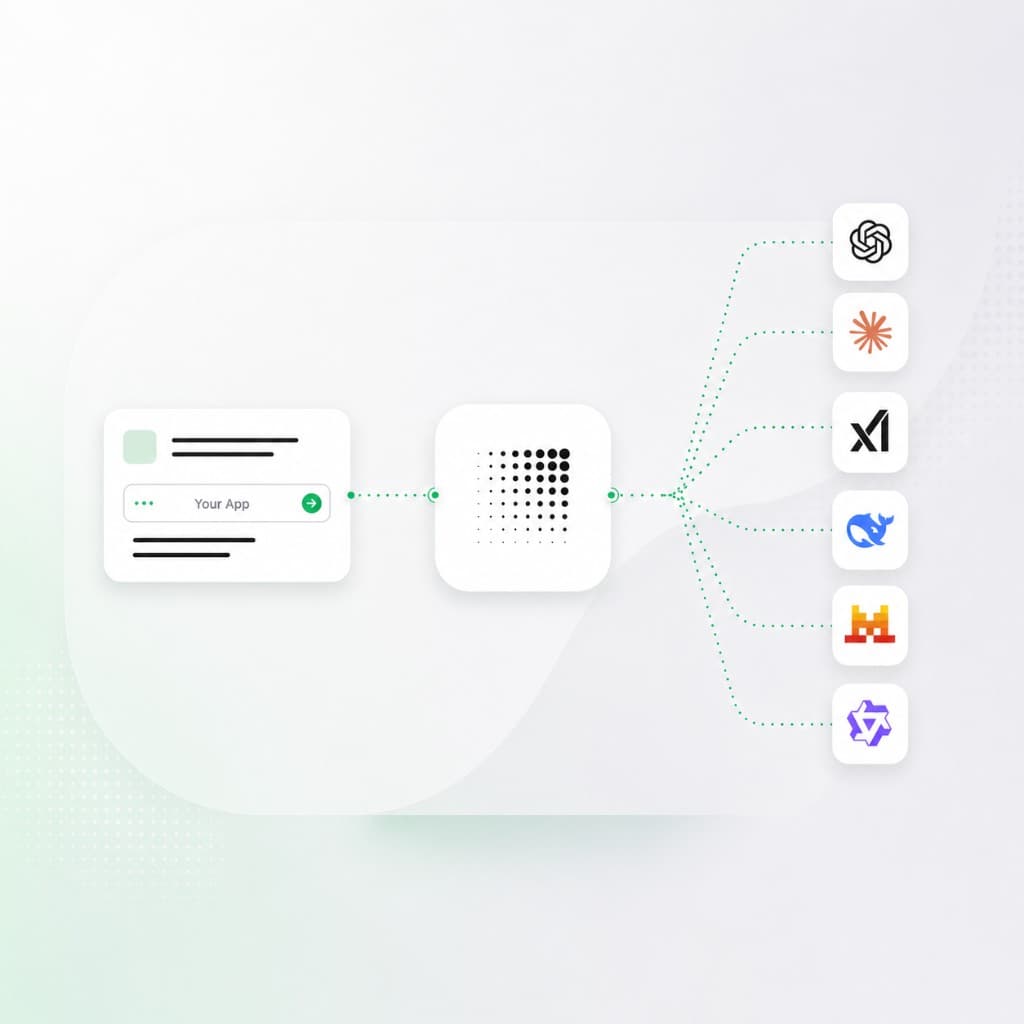
Implement in three easy steps
Change the base URL
Keep your product flow. Point the client at Concentrate, keep using the Responses format, and send the request through one stable API.
Move provider logic out
You no longer need to write or maintain provider keys, routes, fallbacks, logs, redaction, or spend checks in product code. Provider logic is controlled by Concentrate.
Send your first request
Point your client at Concentrate, pick a model, and make your first call.
Point your client at Concentrate with one API key and base URL. Requests use the OpenAI Responses format, plus Concentrate fields for metadata, cost tracking, routing, fallbacks, and team controls — settings you configure in the product, not in app code.
With Concentrate you get
What Concentrate manages for you
Provider keys
Apps use Concentrate Universal API keys by default. Optionally store your own provider credentials with Bring Your Own Key so upstream calls bill your OpenAI, Anthropic, Azure, Bedrock, or Vertex account.
One Universal API key per app. Optional BYOK per provider.
BYOKProvider-specific setup
Leave model aliases, routing, and provider-specific quirks to us.
Your app calls Concentrate.
See request routingFallback logic
Built-in failover for important workloads — reroute when a primary path fails without fallback branches in every service.
Instant failover by default in Concentrate.
See reliabilityLogs and cost tracking
Model, provider, key, team, tokens, cost, duration, status, fallback route, and redaction result for each request — stored and normalized for you.
One system for observability across providers.
See usage monitoringGateway basics
Frequently asked questions
What is an LLM gateway?
It is the endpoint your app calls instead of calling each model provider directly. Requests still reach OpenAI, Anthropic, Google, Azure, and other providers — Concentrate manages those relationships for you: spend commitments, normalized API surface, keys, routes, fallbacks, and logs.
Your product still owns prompts, inputs, response parsing, and user-facing behavior. Concentrate handles the provider work around each request so your team is not maintaining separate provider integrations in every app.
Example
A support bot keeps calling one endpoint while you move its summary task from GPT to Claude or Gemini without changing the bot code.
What changes in our code?
For most features, three things: API key, base URL, and model name. Keep the same prompt construction and response handling. Send the request to https://api.concentrate.ai/v1 and use CNAI_API_KEY instead of provider keys.
Do not move business logic into the gateway. Keep product decisions in your app. Move provider setup, failover decisions, spend limits, request logs, and redaction checks out of each feature.
Example
A TypeScript route can keep using an OpenAI-compatible client while swapping apiKey, baseURL, and model. The rest of the handler can stay boring.
When should we add a gateway instead of calling providers directly?
Direct provider calls are fine for a prototype or one internal script. A gateway starts paying for itself when the same provider work shows up in multiple places: keys in several services, fallback branches in app code, separate provider logs, or finance asking which team spent the tokens.
Add one when spend starts to ramp up, when you need reliability across providers, or before a security review. Security teams usually ask where prompts go, which keys can call which models, how PII is handled, and whether request logs exist.
Example
If support, sales, and internal tools all use AI, they should not each own separate provider keys and logging code.
Can we keep using the SDK we already have?
Usually yes. The point is to keep the app-side request familiar. Many teams keep their OpenAI-compatible client, change the base URL, and send the same kind of request through Concentrate. See our API docs for request shape and examples.
If your feature depends on provider-specific behavior, test that route before moving all traffic. Things like streaming shape, tool-call payloads, JSON mode, file inputs, and image inputs should be checked per workload instead of assumed.
Example
Move a low-risk summary endpoint first. Compare response shape, latency, token counts, and error handling before moving chat or agent traffic.
How do fallbacks work without adding branches in our app?
Your app sends one request. The fallback policy lives outside the feature code. If the primary provider route fails, times out, or hits a rule you define, Concentrate can send the request to another configured route.
This keeps application code from filling up with provider-specific try/catch branches. Engineers can change the backup model or provider route without deploying every service that calls AI.
Example
Keep the support-summary endpoint pointed at one model name while changing the backup route from Anthropic direct to Claude on Azure.
How does logging work?
Concentrate can log each request with model, provider route, key, team, status, latency, token counts, estimated spend, fallback use, and redaction results. Logging is opt in per your policy, and we handle storage — you do not run a separate logging pipeline for every provider.
Logs are normalized across providers in one place, so engineers can debug failures, compare routes, and review spend without stitching together OpenAI, Anthropic, and Google dashboards.
Example
When latency jumps, filter one log view by model and provider to see whether the request used the primary route, hit a fallback, or waited on a timeout.
How should we test the migration?
Start with one feature and replay known prompts against the old provider path and the Concentrate path. Compare status codes, response fields, latency, token counts, and the output your users actually see.
Then test failure cases. Force a bad key, a provider timeout, a blocked input, and a fallback. The migration is only done when the boring path and the failure path both behave the way your app expects.
Example
Use a saved set of support tickets, run them through both paths, and review output diffs before changing traffic for the live support bot.
Start with one app
Point one AI feature at Concentrate. Keep the next provider change out of product code.