Request Routing
Route requests by cost, latency, and use case
Pick the right model for every workload — support, agents, chat, and batch jobs do not need the same route. Sort by price or live latency, use a fallback or built-in retry when a provider errors or hits a rate limit, and change routes in Concentrate without redeploying every app.
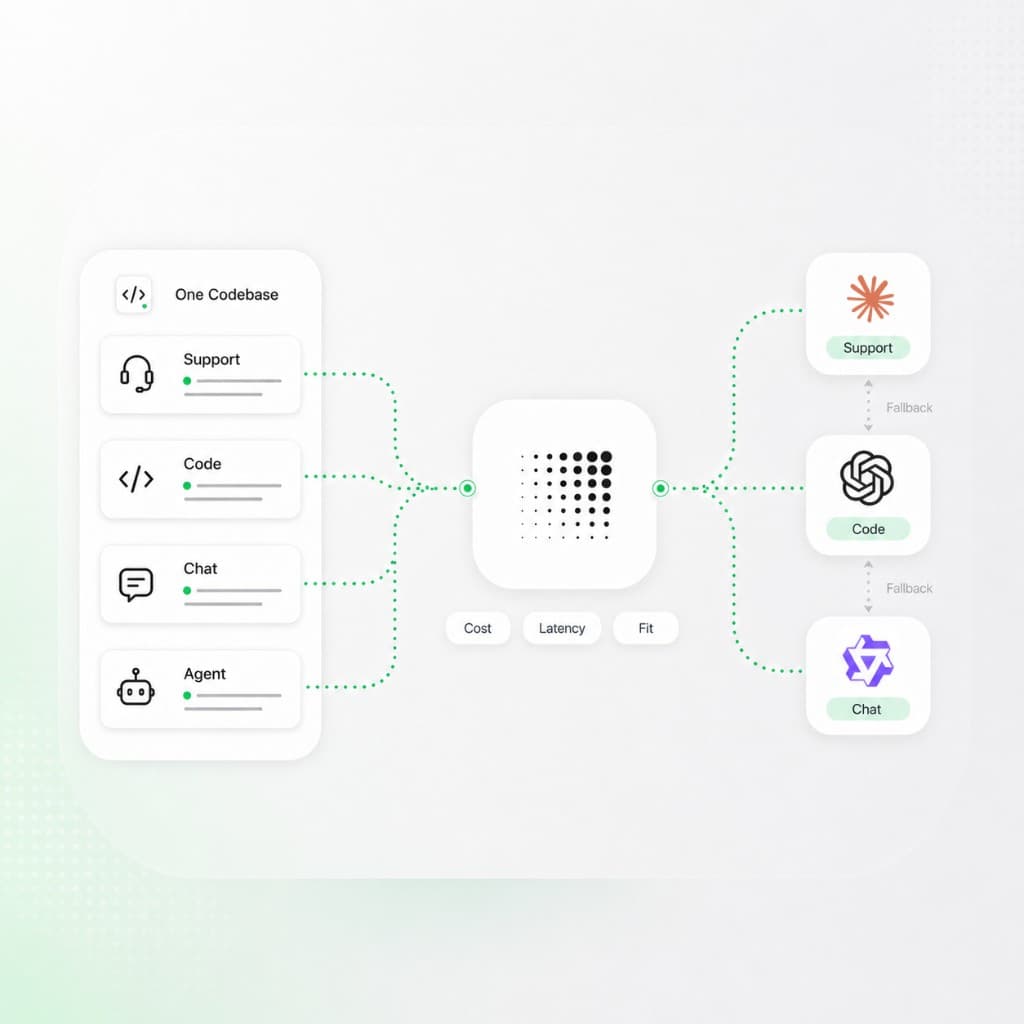
Pick a route, add allowed models, and select which providers a key or team can use.
Sort by
Cost / latency
Fallbacks
Model + provider
Failover
Automatic
Sort
Cost
Order providers by price and send the request to the cheapest healthy route.
Primary
claude-haiku-4-5
Send a model slug to pin the model for this workload.
Fallbacks
gpt-5.5
Try the next model in the list when the primary route fails.
Failover
On error / rate limit
Retry on the next provider when one errors or is over its token limit.
New capabilities
What your team gains with Concentrate
Sort by cost
Order providers and models by price so routine work runs on the cheapest route that meets the request's needs.
Sort by latency
Pick the provider path from live latency metrics, including p50 and p95, measured over a recent window you set.
Match the model to the job
Use Model Fortress to compare capabilities and pricing, then route each workload to the model that fits — summaries, agents, chat, and extraction do not need the same slug.
Automatic failover
When a provider returns an error or hits a rate limit, the request retries on the next provider or model in the fallback chain.
Model and provider fallbacks
Set an ordered list of backup models, or limit a request to the providers you approve.
Feature-aware routing
Route only to providers that support what the request uses: streaming, tools, JSON schema, reasoning, and images.
Who Concentrate is designed for
For teams that want to use the right model for every task
Support bots, coding agents, internal tools, and chat do not need the same model or the same provider. Routing lets you select the model that suits the job.
Customer-facing apps
Keep a fallback model ready so an error or rate limit on one provider does not reach your users. See reliability for the full failover plan.
Internal tools
Send routine summaries and classification to cheaper models, and keep stronger models for the harder tasks. Track the savings in spend management.
Latency-sensitive features
Sort by p50 or p95 latency over a recent window so chat and agents use the fastest healthy provider for the model.
Rate-limit pressure
When a model or provider is over its token rate limit, routing skips it and tries the next route in the chain.
Bring Your Own Key
With BYOK, routing prefers providers you hold a stored key for, then falls back to managed credentials if that key fails.
Request Routing basics