Spend Management
See where token spend goes before the invoice lands
Track token spend in near real time by team, project, key, model, and provider. Set limits and alerts on the keys and workloads that drive the bill.
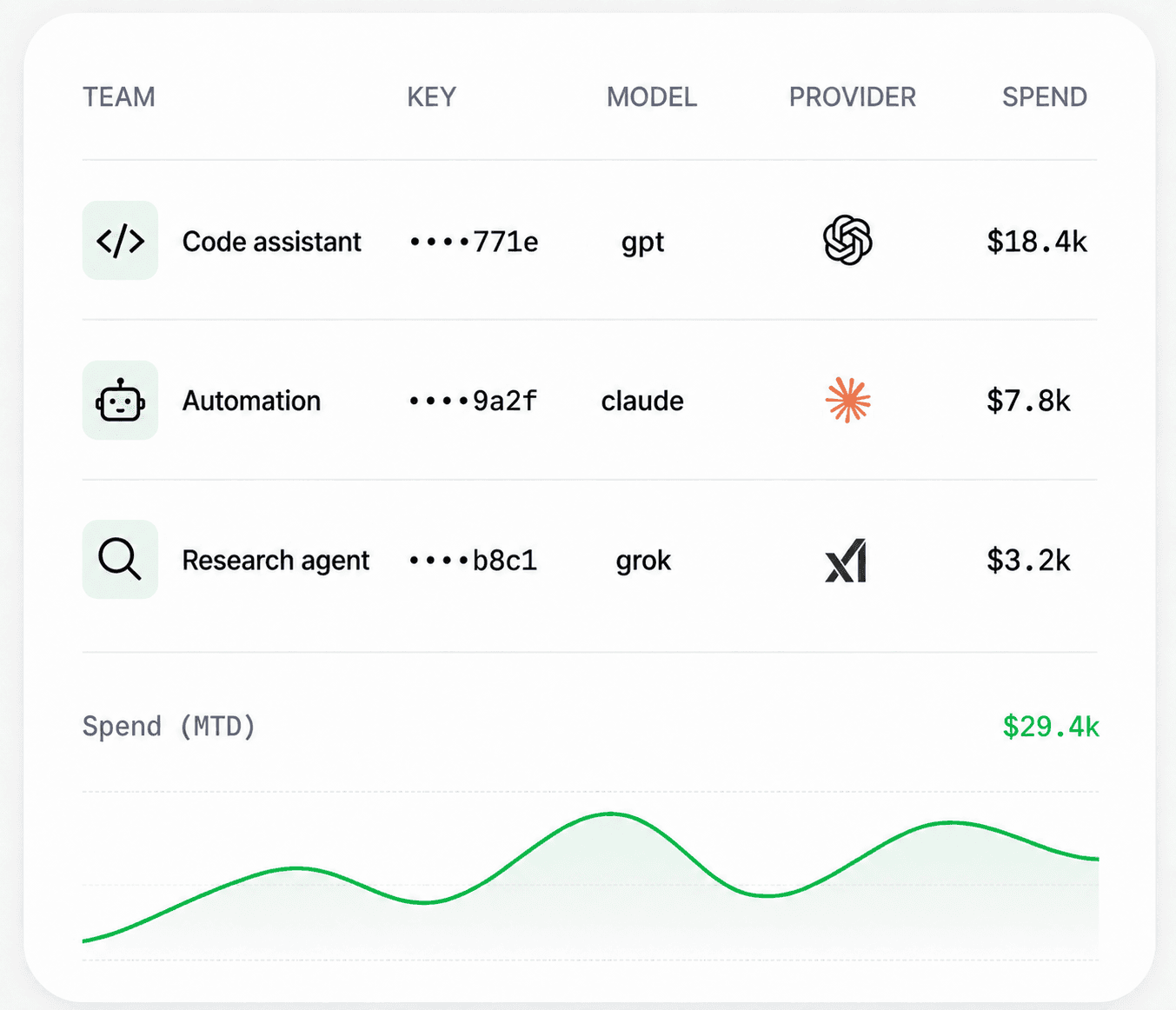
Live spend by team, key, model, and provider for finance and engineering reviews.
Spend views
Team
Limits
Key + project
Alerts
Usage spikes
Support bot
$18,420
Claude spend rose after traffic moved to long summaries.
Code assistant
$7,810
GPT usage stayed flat week over week.
Research agent
$3,250
Good candidate for a lower-cost model route.
New capabilities
What your team gains with Concentrate
See spend by owner and route
Break usage down by team and key, model, provider, and time window so every dollar has an owner.
Set limits where work happens
Attach spend limits to Universal API keys and teams so one runaway workload cannot drain the rest of the budget.
Catch spikes the same day
Use spend spike alerts and real-time tracking to flag unusual spend before month-end close.
Who Concentrate is designed for
Teams where AI spend is big enough to manage
Finance needs more than a provider invoice with one total. Engineering needs request-level context from usage monitoring so a spike can be traced to a key, model, or route instead of debated in a meeting.
Finance and operations
Review spend by team and key, model, provider, and billing period without logging into every provider console.
Engineering leads
Connect totals to request logs to see whether a jump came from traffic, a model change, longer outputs, or a failing route that retries.
Month-end close
Explain what drove the bill before the invoice arrives, with the same numbers engineering used during the month.
Cost optimization
Find workloads that should move to cheaper routes or tighter key limits while usage is still running.
Spend Management basics